

How to Create Multilingual Travel Website in WordPress
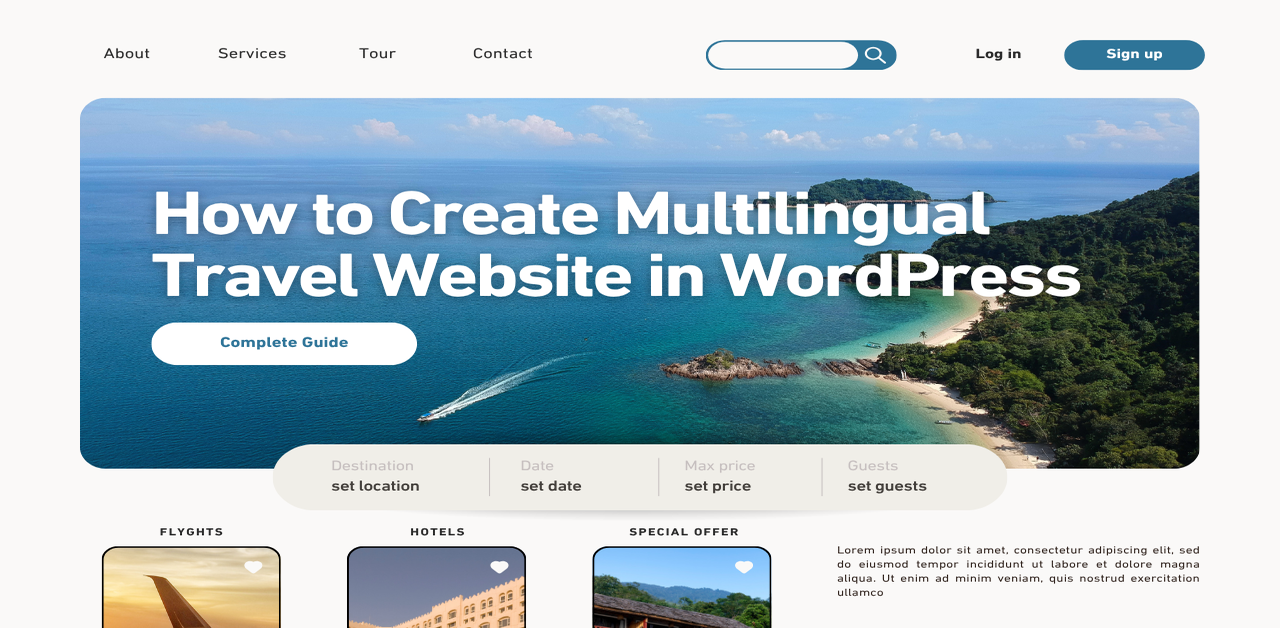
The travel industry is inherently global. Whether you are running a boutique hotel, a tour agency, or a travel blog, your potential customers are coming from every corner of the map. If your website speaks only one language, you are losing millions of potential travellers who feel more comfortable booking in their native language.
To capture this international market, you need to create multilingual travel website in WordPress. This not only builds trust with your visitors but also significantly improves your search engine visibility across different regions. Before diving in, ensure you are utilising the best hosting for travel WordPress website to keep your global site fast and responsive. In this guide, we will break down the essential process of transforming your site into a multilingual powerhouse, ensuring that your travel content resonates with a global audience.
What is WordPress?
At its core, WordPress is the world’s most popular Content Management System (CMS). Originally designed as a blogging platform, it has evolved into a robust, flexible framework that powers nearly half of the internet. For the travel industry, WordPress is the gold standard because of its versatility.
Whether you need to display high-resolution destination galleries, integrate complex booking calendars, or manage customer reviews, WordPress offers an ecosystem of themes and plugins that make it possible without needing a degree in computer science. When you choose to build your site on WordPress, you are choosing a platform that scales with your business, allowing you to easily add new features whenever you are ready to expand.
Why Should You Create Multilingual Travel Website in WordPress?
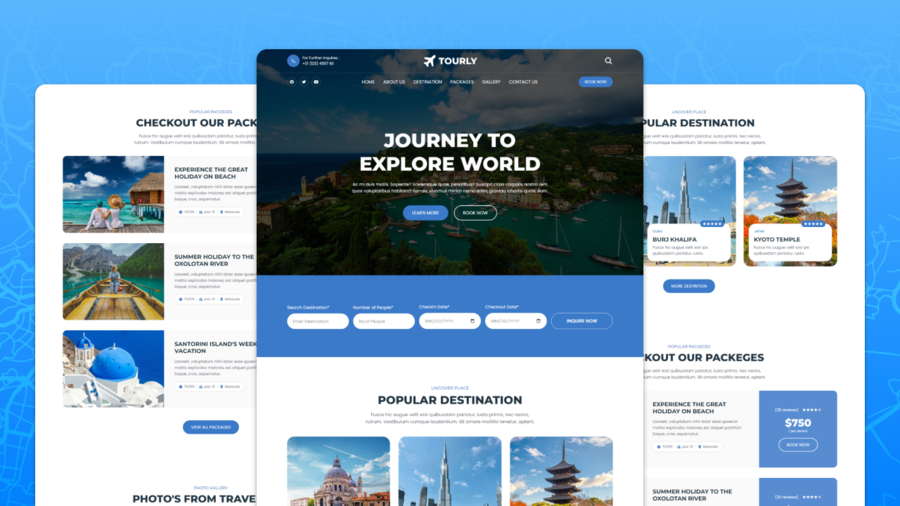
The travel landscape is competitive. To stand out, you need to provide a seamless user experience from the moment a potential guest lands on your page. Here is why investing in a multilingual site is good for you:
- Global Accessibility: By offering your content in multiple languages, you remove the language barrier that prevents many users from completing a booking.
- Improved Search Engine Optimisation (SEO): A multilingual site allows you to target keywords in various languages, helping your site appear in local search results across different countries.
- Increased Conversions: Travellers are far more likely to book a tour or a hotel room when they can read the fine print, cancellation policies, and descriptions in their preferred language.
- Building Trust: When a brand speaks the customer’s language, it signals professionalism and care, fostering a sense of reliability that is essential in the travel and hospitality sector. SEAtongue
To succeed, you must ensure you have the right WordPress multilingual plugin travel setup. It allows you to effectively manage translations for your pages, posts, and even your custom booking forms.
Step 1: Selecting and Preparing Your Theme for Translation
Before you install any translation software, you must ensure that your base template is capable of handling multiple languages. A common mistake many site owners make is picking a beautiful design that is solely in English, making it nearly impossible to translate without significant custom coding.
Finding a Translation-Ready Theme
When browsing for a theme, look specifically for terms like “Translation Ready” or “Multilingual Support” in the theme’s description. A well-coded theme uses a .po file, which is a template file that contains all the text strings found in your translate travel WordPress theme. If you are struggling to decide on the right aesthetic, check out our guide on free vs. premium travel WordPress theme to help you weigh the pros and cons of each for your specific business needs.
If you already have a theme installed, you should verify its WPML travel theme compatibility. You can often find this information by searching the theme author’s support forums or documentation for the name of your chosen plugin. If your theme is not built with localisation in mind, you may face issues where buttons remain stuck in the original language even after you have translated your page content. Though it can be fixed with the WordPress multilingual plugin travel, you will need an additional plugin on your website.
If you are currently in the market for a new design or your current theme is proving difficult to translate, choosing a theme built specifically for the hospitality industry can save you significant development time. Here are two standout options that we recommend you try:
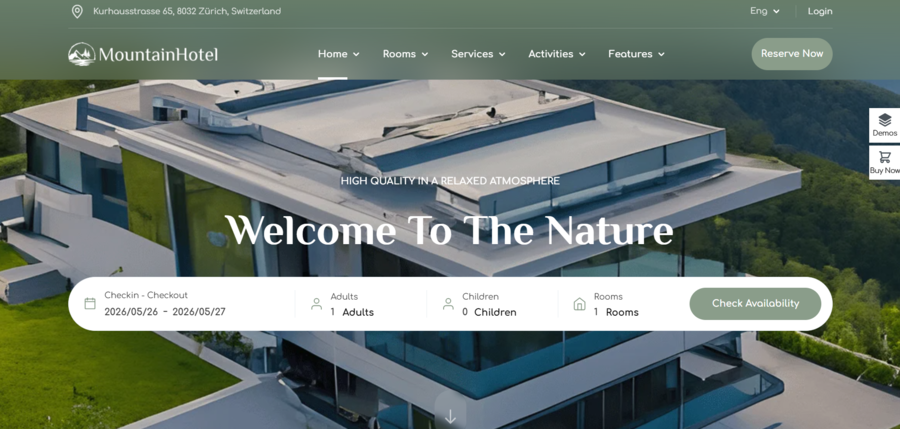
- Sailing – Hotel WordPress Theme: Specifically crafted for hotels and resorts, Sailing is a powerhouse in feature-rich content. It comes with a robust booking system already integrated, which is designed to handle complex room availability and pricing. Because it was built with the global hospitality market in mind, it offers excellent support for localisation, allowing you to easily translate travel WordPress theme elements so that international guests feel at home.
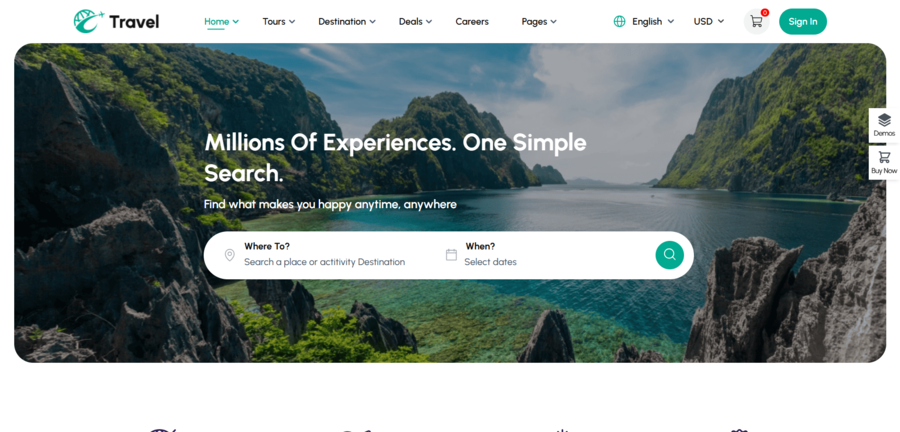
- Travel & Tour Booking WordPress Theme: If your focus is more on tour operators and travel agency services, Travel & Tour Booking is a top-tier choice. It excels in managing diverse tour packages, destinations, and activities. It is designed to be highly compatible with major translation plugins, making your WPML travel theme compatibility check a breeze. It provides the perfect framework for those who need a professional environment right out of the box.
Step 2: Installing and Configuring Your Multilingual Plugin
Once your theme is prepared to create multilingual travel website in WordPress, you need the engine that will manage your translated content. Choosing the right WordPress multilingual plugin travel setup is essential because travel sites often feature custom post types (like tours, properties, or destination guides) that need to be synchronised across languages.
Choosing Between WPML and Polylang
- WPML (WordPress Multilingual Plugin): This is the industry standard for complex sites. It is exceptionally powerful if you are dealing with custom booking engines or highly complex page builders. It offers support for WPML travel theme compatibility, making it the safer choice if your travel site requires deep integration with third-party booking plugins.
- Polylang: This is a fantastic, performance-focused alternative. It is highly lightweight, which is ideal for travel sites that want to maintain fast loading speeds for international users. If you are looking for a Polylang travel booking setup, you will find that it is very user-friendly and allows you to manage translations for custom post types and taxonomies with minimal overhead.
Initial Configuration
After you have installed and activated your chosen plugin, you will need to go through the initial setup wizard. Regardless of which plugin you choose, the configuration process generally involves three core tasks:
- Defining your Languages: You will need to select your primary language and the additional languages you wish to offer. For a travel site, prioritise the languages of your target demographic. For example, if you focus on luxury tours in Southeast Asia, English, Mandarin, and perhaps French would be high-priority languages.
- Setting the URL Structure: This is crucial for your SEO. Most plugins will ask you to choose between subdirectories or subdomains. For the vast majority of travel websites, we recommend using subdirectories. It keeps your domain authority consolidated under one URL, which helps your search rankings across all languages.
- Configuring the Language Switcher: Finally, you will decide where to place the language switcher. Most users expect to see a flag or a language name in the top header menu. Spend some time customising this to match your theme’s aesthetic because a clunky, poorly placed switcher can detract from the premium feel of your travel site.
Step 3: Translating Your Core Travel Content
Translating to create multilingual travel website in WordPress involves more than just words; it requires adapting dates, currencies, and even local recommendations. When you start translating your pages and posts, follow a logical priority order: focus on your high-conversion pages first, such as booking landing pages, “About Us” sections, and popular destination guides.
The Hybrid Translation Approach
For a travel business, your reputation is built on trust. While machine translation is fast, it can often miss the intended meaning in the language voice. Therefore, we highly recommend a hybrid translation strategy:
- Automated Initial Pass: Use your plugin’s AI features or services to generate a baseline translation for your travel articles and destination descriptions.
- Human Proofreading: Always have a native speaker review the content. In travel, small errors, such as incorrect time formats (12-hour vs. 24-hour clocks) or improperly translated local addresses, can lead to confusion and negative guest experiences.
- Terminology Management: Create a glossary of “travel terms.” For example, ensure that terms like “check-in,” “itinerary,” and “cancellation policy” are translated consistently across every single page.
Managing Custom Post Types
Travel sites often rely on custom post types for “Tours,” “Properties,” or “Activities.” Most modern multilingual plugins, like Polylang or WPML, handle these beautifully by allowing you to “sync” these post types. When you create a new tour package, the plugin will automatically generate the corresponding entry for your secondary language, ensuring that your site structure remains identical even as you scale your catalogue.
Step 4: Localising Media and SEO Metadata

A common pitfall is translating the text while leaving the images and SEO settings in the original language. To create multilingual travel website in WordPress, a truly global site must be discoverable in every language, and that means paying attention to the technical details behind your images and metadata.
Translating Media Metadata
Images are powerful, but they also hold hidden data that search engines use to understand your content. When you upload a photo of a destination, you likely have Alt-Text, Title, and Description.
- Translate Alt-Text: This is critical for both accessibility and SEO. If your image shows a “Beach in Bali,” ensure the Spanish version uses “Playa en Bali.”
- Media Synchronisation: Some plugins allow you to display different media per language. This is particularly useful for travel; for example, you might want to show a map with local labels in the user’s language, or images featuring tourists from the specific demographic you are targeting.
Multilingual SEO Strategy
To ensure your travel website WordPress project ranks well, you must optimise for local search behaviour:
- Localised Meta Titles & Descriptions: Do not simply copy-paste your English meta descriptions. Research the keywords that travellers in your target region actually use. A user searching in German might look for “Urlaub in [Destination]” while an English user searches for “Vacation in [Destination].”
- URL Slugs: Keep your URLs clean and language-specific. This improves user experience and click-through rates.
- Hreflang Tags: Your multilingual plugin will likely handle this automatically, but it is good to understand what they are. These tags tell Google exactly which version of your page should be served to which user based on their language and region, preventing “duplicate content” penalties.
Step 5: Integrating Multilingual Booking Systems

For any travel business, the booking engine is the heartbeat of the website. Whether you are using a booking plugin or a third-party API, your Polylang travel booking or WPML-integrated system must be perfectly synchronised. If you are a hotel owner specifically, learning how to add a WordPress hotel booking system is the first step before you even begin the translation process, as it ensures your room inventory management is rock solid from day one.
Synchronising Booking Data
If your booking plugin is not natively multilingual, you may encounter issues where your availability calendars or payment forms remain in the original language.
- Check Plugin Settings: Most high-end booking plugins offer a dedicated “Translation” tab. Ensure you have mapped your booking forms to the correct language strings.
- Currency and Payment Gateways: A multilingual site often requires a multi-currency approach. Ensure your payment gateway is configured to handle the currencies relevant to your target languages, providing a frictionless checkout experience.
- Test the Workflow: Walk through the entire booking process in every language you offer. For example, pay attention to the confirmation email trigger, the prices and dates displayed,… These small details differentiate an amateur site from a professional agency.
Step 6: Testing, Performance Optimisation, and Launch
Before you announce your new multilingual capabilities, you must ensure that adding these layers hasn’t compromised your site’s speed or reliability.
The Testing Checklist
- Check Internal Links: Ensure your language switcher correctly redirects users to the corresponding page in the other language, rather than just the homepage.
- Performance Audit: Adding translation plugins can increase the number of database queries. Use a caching plugin (like WP Rocket or W3 Total Cache) to ensure your page load speeds remain fast.
- Booking Functionality: If you have implemented a scheduling system, remember to test the full flow of how to set up a WordPress appointment booking system to ensure that date formats and time zones are displaying correctly for international visitors in every language version of your site.
- Mobile Responsiveness: A large portion of travel bookings happens on smartphones while users are on the go. Test your language switcher and booking forms on various mobile devices to ensure the user interface remains intuitive.
Frequently Asked Questions (FAQs)
Will adding multiple languages slow down my travel website?
If you choose a reputable plugin and optimise your images, the performance impact is negligible. The goal is to choose a lightweight translation plugin that doesn’t add unnecessary bloat to your database.
Does my travel theme need to support multilingual plugins
Ideally, yes. When looking for a theme, look for the “Translation Ready” tag. Additionally, you should be aware of WPML travel theme compatibility. Checking if your theme documentation specifically mentions compatibility with major translation plugins can save you hours of troubleshooting later.
Is it better to translate content manually or automatically?
For the travel industry, we highly recommend a hybrid approach. Use automatic translation (machine translation) for quick, bulk updates, but always have a human review the content for cultural nuances, especially regarding travel descriptions, local recommendations, and contact information.
How do I handle translations for my booking engine?
This depends on your plugin. For example, when using the Polylang travel booking integration, you usually need to translate the strings within the booking plugin’s settings. Many professional booking plugins have their own built-in translation features that sync perfectly with WordPress.
Conclusion
Expanding your travel website to reach an international audience is one of the most effective ways to grow your business. By utilising a robust WordPress multilingual plugin travel solution, you can ensure that your brand is accessible, trusted, and ready to welcome guests from every corner of the globe.
While the prospect of translating your entire site might seem like a large task, breaking it down into manageable steps, starting with theme compatibility and moving through to content translation, it’s simple to create multilingual travel website in WordPress. Whether you are a small blog or a large agency, the tools available today make it easier than ever to bridge the language gap and share your travel experiences with the world.
Are you ready to take your site global? Dive into the technical setup of your plugins and start the translation process today.
Read more: Gutenberg vs Elementor for Travel Blogs: Which Builder is Right for You?
You may also like
8 Common Travel Website Design Mistakes That Can Reduce Bookings
Posted on June 25, 2026Think about the last time you booked a trip online. You probably had five different browser tabs open, comparing flights, hotels, and local tour operators. You were looking for the perfect getaway, but you were also looking for a seamless experience. Now, think about what made you close some of those tabs without buying.


How to Add Customer Reviews to Travel Website
Posted on June 22, 2026When planning a vacation, a weekend getaway, or a guided tour, travellers naturally want reassurance from real people who have already spent their hard-earned money on those experiences. Because they cannot physically test your travel services before purchasing, they look for visual indicators of safety, quality, and reliability. Adding genuine feedback directly onto your